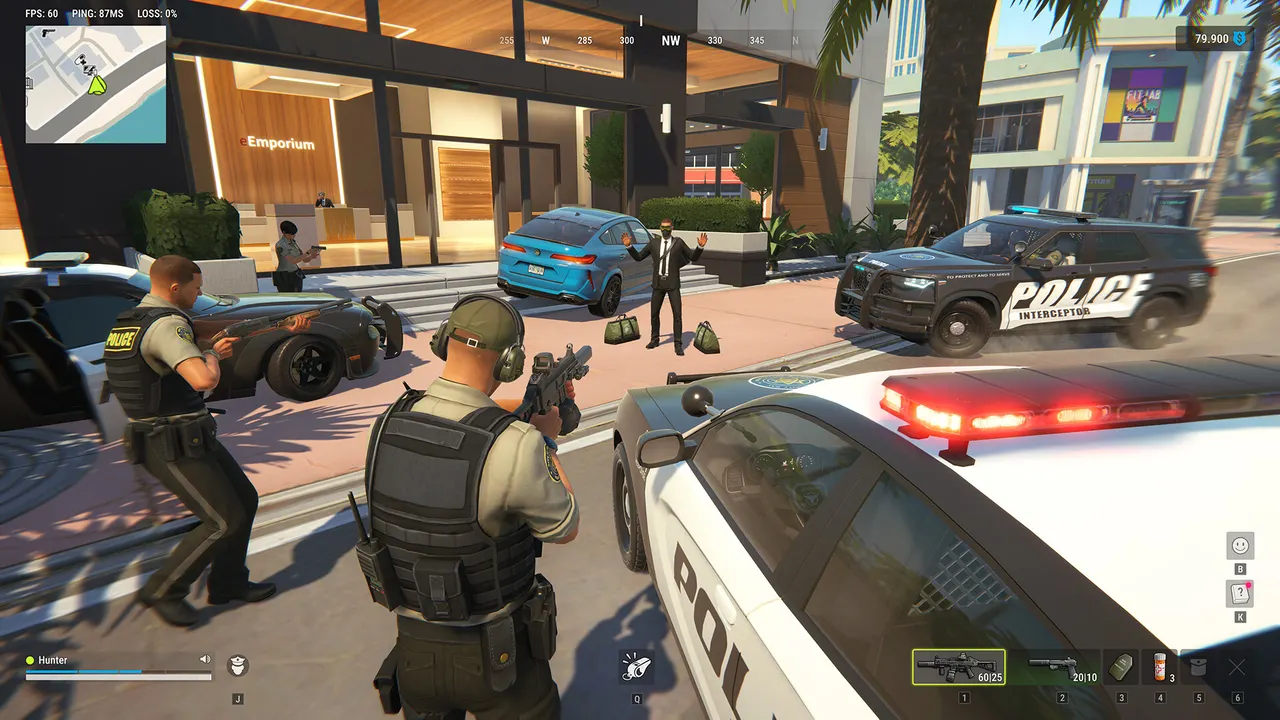
ROB RUN Controller Support: How to Play With a Gamepad
Not built in, but Steam Input maps a gamepad to keyboard and mouse. Three steps, the fixes, and what to expect when aiming.
Not natively, but you can play with one. The Steam store lists no controller support for ROB RUN. Players use Steam Input, which turns your gamepad's buttons into keyboard and mouse input.
Turn on Steam Input
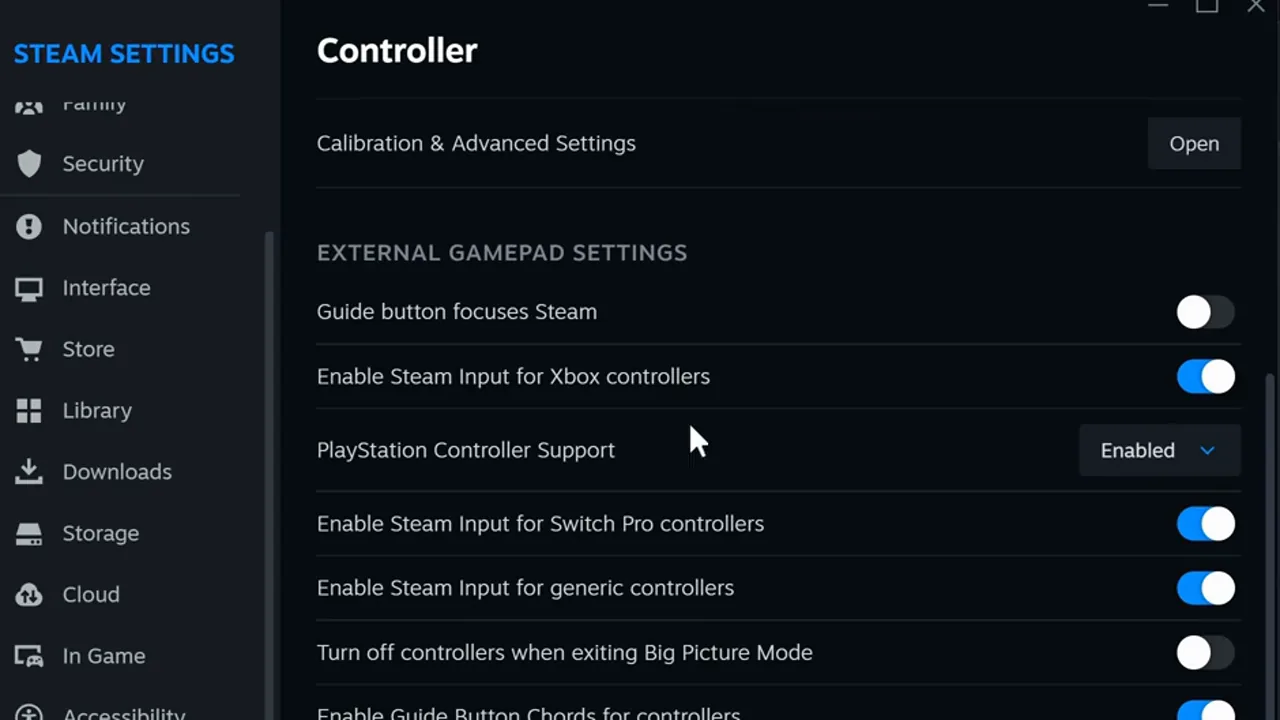
In Steam, open Settings, then Controller. Switch on Steam Input for your controller: Xbox, PlayStation (set to Enabled) or generic.
Open the game's controller settings
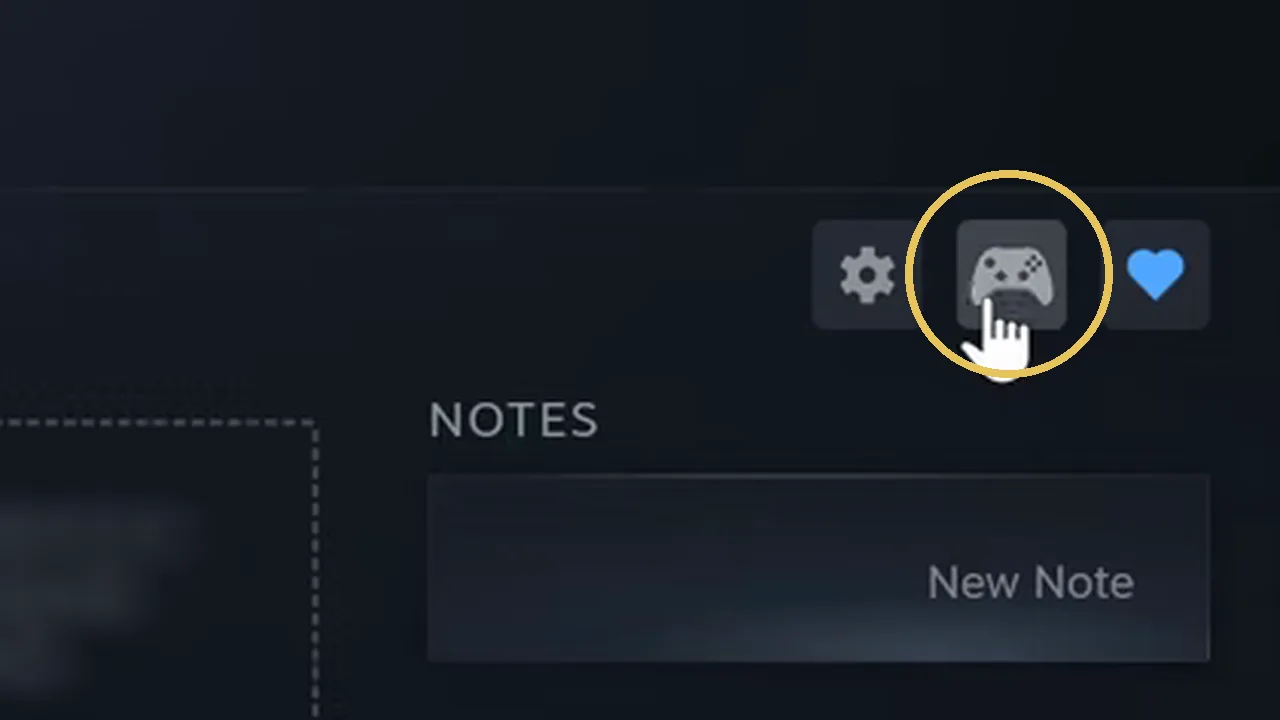
In your Library, select ROB RUN and click the controller icon to the right of Play.
Pick a layout
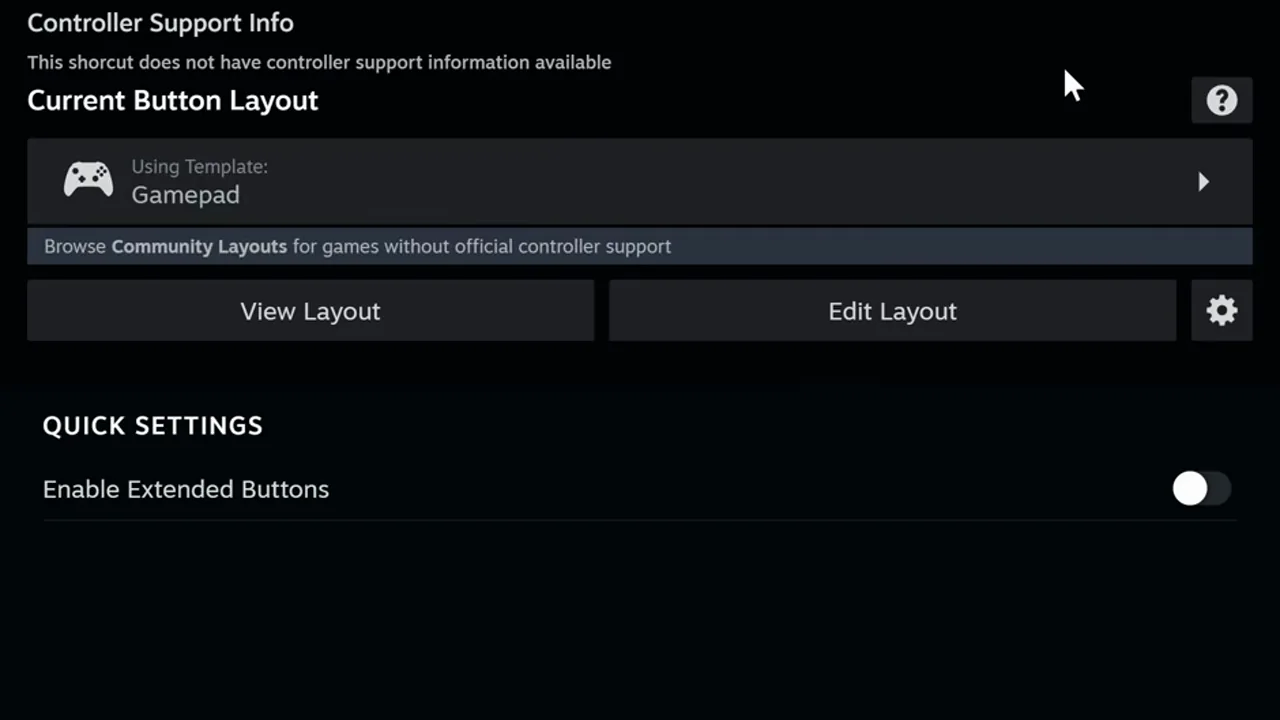
Choose a template, or Browse Community Layouts for one made for ROB RUN. Use Edit Layout to move any button.
Screenshots from "How to Play ROB RUN With Controller on PC!" by GaboFIX. The Steam screens are the same for every game.
At a glance
- Built-in support
- None on the Steam store
- Works through
- Steam Input
- Aim assist
- None
- Streaming
- Input may not be detected
Steam Input sends keyboard and mouse to the game, so ROB RUN never knows a controller is there and nothing helps your aim (our reading). Aim assist.
Launch the game from Steam with the controller already connected. In Steam's Controller thread, players also point to Big Picture mode with a controller layout on.
Controller not working
If the controller does nothing in game, the cause is almost always Steam Input, not ROB RUN.
Toggle Steam Input for the game
In the game's controller settings, switch Steam Input off and on again, then restart the game.
Restart Steam and the PC
Close Steam fully, not just the window.
Update controller drivers
For a PlayStation pad, GaboFIX and FixGameNow link Sony's PlayStation Accessories app; for Xbox, the Xbox Accessories app.
Re-enable it in Device Manager
Disable the controller, then enable it again.
Unplug other controllers and adapters
A second device can take the input.
Turn on generic controller support
In Steam, Settings, Controller, switch on Steam Input for generic controllers if your pad isn't Xbox or PlayStation.
Steps 1, 2, 4, 5 and 6 are from Global TechWorld Solutions' video "How To Fix Controller or Gamepad Not Working In ROB RUN"; it also suggests Alt+Enter to toggle fullscreen and checking the cable or Bluetooth link.
Playing over Remote Play or a cloud PC? Kefir's error E‑0601 says the game may not detect a keyboard and mouse in remote desktop or cloud-streaming setups; its fix is a physical keyboard and mouse on the PC, with no remote session. See error codes.
Aim assist
ROB RUN has no aim assist for controllers, because it has no controller mode: with Steam Input it sees only keyboard and mouse (our reading).
In Steam's discussion "Controller", a controller player says the extra buttons on his pad cover the game's keys, but he loses fights to keyboard and mouse players because of input lag and their speed and accuracy. In the thread "Controller support" players ask Kefir for official support, and others ask that it come without aim assist.
Two in-game settings help a stick: General Sensitivity and ADS Sensitivity, both in Settings, Controls (Lex's settings video shows them at 0.33). Map one button to the aim key (right mouse) and one to B: B while aiming switches a rifle or SMG to first-person sights, per Indiatimes. Sw1tchTV's beginner guide says first-person aim removes the bloom that third-person spraying builds up.
Steam Deck and the TV
The same Steam Input layout works wherever Steam runs the game; ROB RUN itself is Windows only.
What Valve and Kefir say about Steam Deck, consoles and cloud services is on PS5 and Xbox. Graphics settings for a smoother picture are on best settings.
FAQ
Does ROB RUN support controllers?
Not natively: the Steam store lists no controller support. You can still play with one through Steam Input, which maps the pad to keyboard and mouse.
How do I use a PS5 or Xbox controller in ROB RUN?
In Steam, Settings, Controller, turn on Steam Input for your controller. Then open ROB RUN's controller settings from the Library and pick a layout or a community layout.
Does ROB RUN have aim assist?
No. The game has no controller mode, and Steam Input sends mouse input, so there is nothing for aim assist to act on.
Why is my controller not working in ROB RUN?
Usually Steam Input is off for that controller type or for the game. Turn it on, restart Steam, unplug other controllers and update the controller's driver.
Sources
9 sources, checked 17 Nov 2026
- ROB RUN on Steam (no controller support listed), checked 17 Nov 2026
- What should I do if I get an error code? (E‑0601), checked 17 Nov 2026
- How to Play ROB RUN With Controller on PC! (GaboFIX), checked 17 Nov 2026
- How to Play ROB RUN With a Controller on PC! (FixGameNow), checked 17 Nov 2026
- How To Fix Controller or Gamepad Not Working In ROB RUN (Global TechWorld Solutions), checked 17 Nov 2026
- Controller and Controller support (Steam discussions), checked 17 Nov 2026
- ROB RUN Best Settings: Turn These On NOW (Lex), checked 17 Nov 2026
- ROB RUN – The ONLY Beginner Guide You Need (Sw1tchTV), checked 17 Nov 2026
- ROB RUN first-person mode explained (Indiatimes), checked 17 Nov 2026